Original release32-bit
GOG Gold Edition
Anno 1404 Gold Edition, running Venice.
- Executable
Addon.exe- Supported version
- 2.01.5010
Choose Production-Menu-…-gog.zip
A clearer view of your economy
Bring your production overview into the game. See your settlements, compare goods, and plan your next production chain without leaving Anno 1404.
Experimental mod · GOG Gold & Ubisoft History
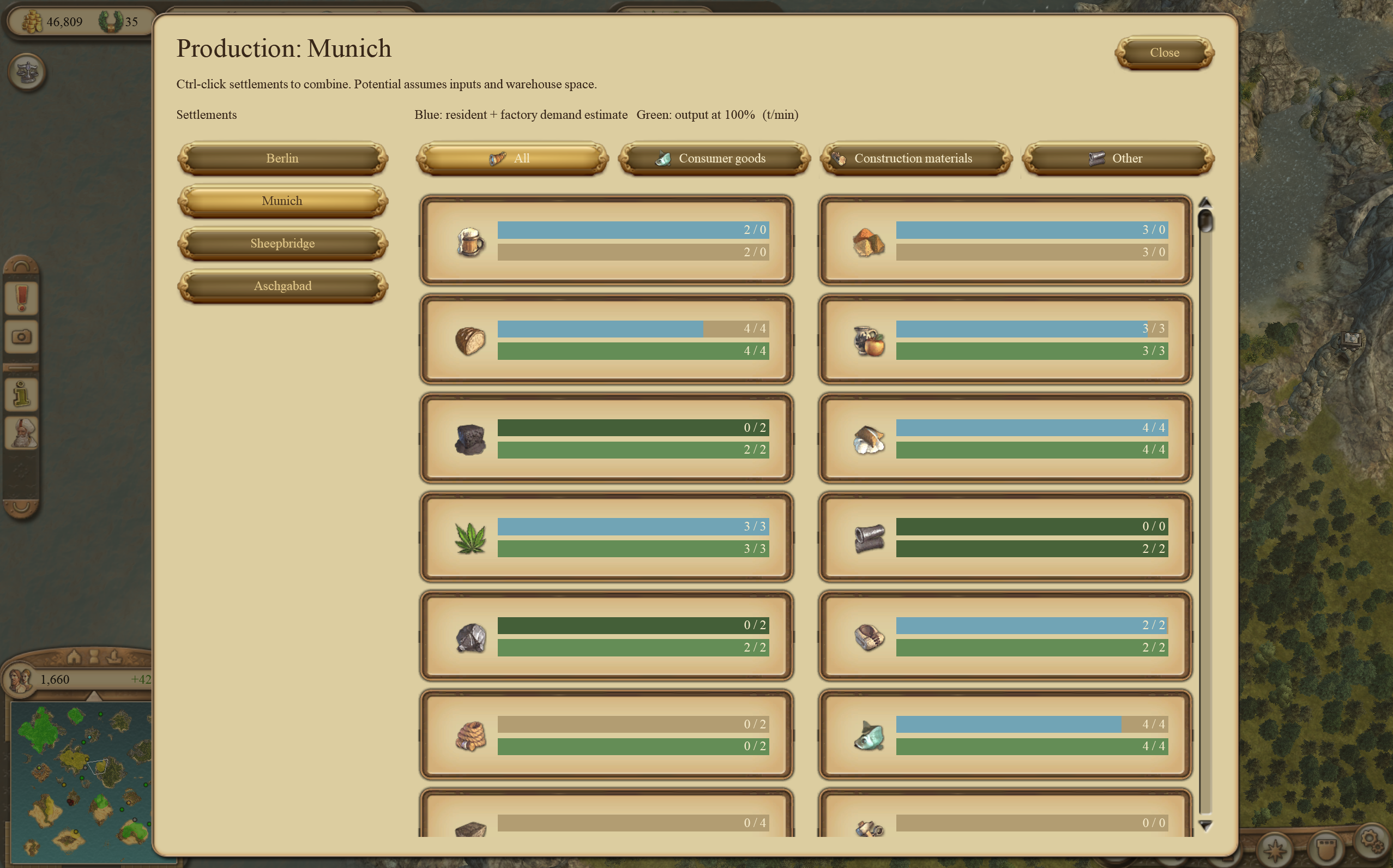
I Choose your settlement
II Ctrl-click to combine islands
III Filter and compare goods
Set sail
Two packages, one production overview. Download the ZIP that matches your game from GitHub Releases.
Anno 1404 Gold Edition, running Venice.
Addon.exeChoose Production-Menu-…-gog.zip
Anno 1404 History Edition, running Venice.
Anno1404Addon.exeChoose Production-Menu-…-history-edition.zip
Look for a Production Menu release, including experimental prereleases. “Source code” and “GUI Studio” are not the mod download. Packages check the game’s executable and reject unsupported builds.
A few files. Then you’re ready.
No compiling. No developer tools. Just your game and the matching ZIP.
Download your edition’s ZIP and extract it. If the game folder already has a d3d9.dll, back it up first; another mod may use it.
Find the folder containing Addon.exe or Anno1404Addon.exe. Copy these four files directly into it:
d3d9.dllAnnoRECompanion.exeproduction_dialog_v5.dlgproduction_button.dlgHistory Edition: also copy ANNORE_HISTORY_NATIVE.flag into that folder.
Load your game and press Ctrl + Q to open or close Production. The companion starts automatically. Select a settlement, or Ctrl-click several to combine them.
Before you sail
Check that you downloaded the correct edition, your executable version is supported, and the game is running in DirectX 9 mode. The files should sit beside the executable, not inside an extra extracted folder. History Edition also needs the activation flag. Then load a game and press Ctrl+Q.
Close the game and remove only the mod files you copied. Restore your previous d3d9.dll if you backed one up. You don’t need to remove your saved games.
No. Those tools are for development and research. Installing the mod only requires your supported game and the matching Production Menu ZIP.
Open an issue on GitHub with your game edition, executable version and a description of what happened. A screenshot can help.